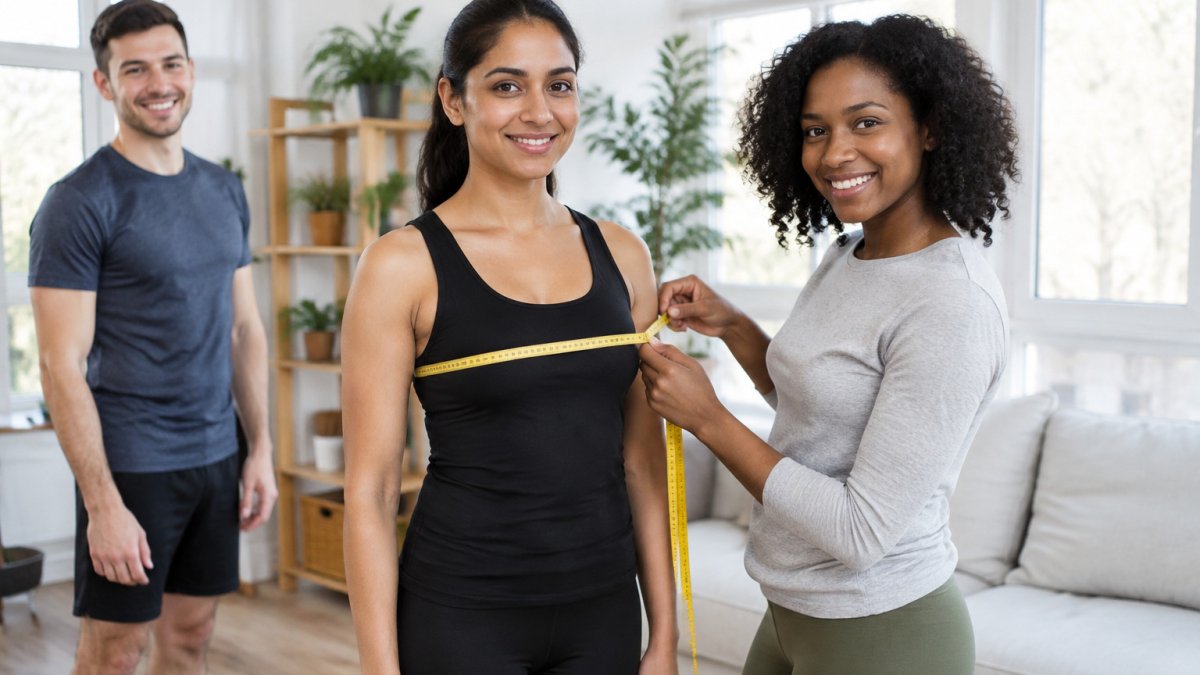
 comparison
3D Body Scanner Apps Tested for Accuracy and Privacy
Quick Summary
A 3d body scanner app turns a few photos of your body, usually a front and a side view, into a digital 3D model and body measurements. Most smartphone apps estimate your shape rather than laser-scanning it, so accuracy depends heavily on how well the photos are taken.
- Most smartphone apps build a 3D avatar from one front photo and one side photo.
- Circumference readings usually track better than body-composition estimates from phone photos.
- Shoot in bright, even light, in fitted clothing, at the same distance each time.
- Check accuracy by comparing app results against a tape measure over three weeks.
- Before uploading images, confirm where they are stored, how long they are kept, and whether they can be deleted.
Table of Contents
- What a 3D Body Scanner App Actually Does
- How to Take a Body Scan With Your Phone
- Best 3D Body Scanner App Options Compared
- 3D Body Scanner App Free Options and What Is Locked Behind Paywalls
- 3D Body Scanner App for iPhone: Compatibility and Setup
- Using a Body Scanner App for Weight Loss Tracking
- Accuracy, Privacy and Who Should Use One Next
- Frequently Asked Questions
3D Body Scanner Apps Tested for Accuracy and Privacy
Last Updated: November 4, 2026
What a 3D Body Scanner App Actually Does
A 3d body scanner app turns a few photos of your body into a digital 3D model and a set of measurements. Some apps in this category approach this problem from the shopping side, and the underlying technique is shared across many of them. Before you trust any scan with your clothing choices or your health tracking, you need to understand what the app is actually doing with your images.
The category is growing. The global 3D full body scanner market was estimated at USD 0.5 billion in 2026 and is projected to reach USD 0.89 billion by 2035 (Business Research Insights market estimate and forecast). Growth on that scale tells you the technology is moving from specialist studios into consumer phones, which is exactly why the accuracy and privacy questions matter now.
How Front and Side Photos Become a 3D Avatar
Most smartphone-based apps work from a front image and a side image. The software detects your body outline, estimates depth and proportion from the two views, and builds a digital avatar that approximates your shape. It is an estimate, not a laser scan, and the quality depends heavily on how well the photos were taken.
Researchers evaluating a 3D scanning mobile application have studied exactly this kind of anthropometric performance, measuring how closely app outputs match reference measurements (Anthropometric Evaluation of a 3D Scanning Mobile Application). That line of research is the right lens for judging any app: ask how its numbers compare with a tape measure, not how polished the avatar looks.
Which Measurements Are Captured
Measurement sets vary by app. Some capture a handful of circumferences, while others report more than a dozen body locations. Typical outputs include chest, waist, hip, and thigh circumferences, along with overall height and body dimensions. Several apps also estimate body composition, though those figures deserve more caution than simple circumference readings.
How to Take a Body Scan With Your Phone
A scan is only as good as the photos behind it. Set up your space before you start, not after the first result looks wrong.
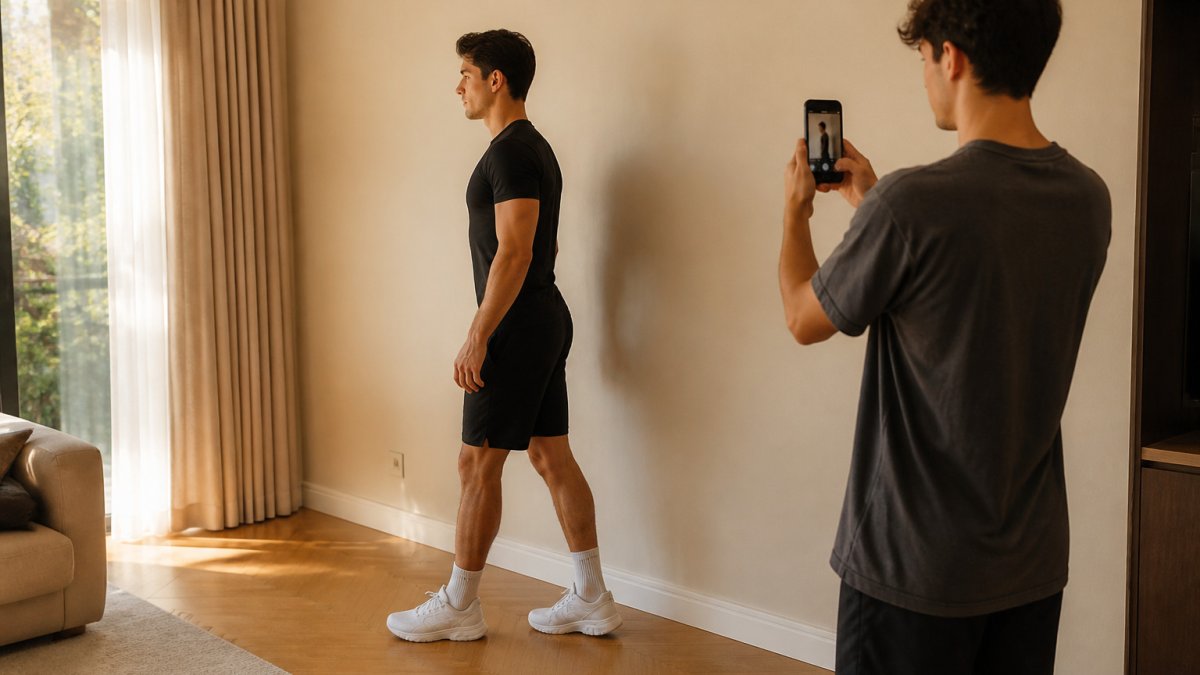
Stand in a bright room with even lighting and a plain wall behind you. Wear fitted clothing so the app can see your outline. Hold the phone upright at about waist height, step back until your full body fits in frame, and follow the app's prompts for the front view and then the side view. Keep your feet shoulder-width apart and your arms slightly away from your body.
Repeat scans under the same conditions. Consistent lighting, distance, and clothing matter more for tracking progress than any single reading. Here is a quick summary of the setup factors that most affect results:
| Factor | What to Do | Why It Matters |
|---|---|---|
| Lighting | Bright, even, no harsh shadows | Clearer body outline |
| Clothing | Fitted, same each time | Less distortion in measurements |
| Distance | Full body in frame | Complete front and side views |
| Posture | Neutral stance, arms out | Consistent circumference readings |
| Repeat scans | Same room, time of day | Reliable progress comparisons |
Best 3D Body Scanner App Options Compared
Several apps fit under the 3d body scanner app heading, and they differ in ways that matter for your goal. Rather than repeat marketing claims, this comparison focuses on what each app is built to do, what it captures, and where its limits sit, so you can match the tool to your use case instead of treating every app as interchangeable.
Fit Perfect AI is built around a different job. It analyzes full-body photos to recommend your clothing size across garments and fabrics, rather than tracking body composition over time. If your goal is fitting clothes, that focus is the relevant one. If your goal is fitness tracking, one of the measurement-tracking apps above may fit better.
Confirm the current terms on each app's listing before you commit, because plan structures change.
Watch out: an app that looks accurate on one scan can drift on the next if lighting, clothing, or camera distance change between sessions.
3D Body Scanner App Free Options and What Is Locked Behind Paywalls
Free access is where most people start, so it is worth knowing what you actually get. Check each app's current listing for free-tier and paywall details before relying on them.
When you evaluate free versus paid tiers, check the app store listing and the developer's pricing page directly. For current prices and plan details for Fit Perfect AI, visit the Fit Perfect AI website, as no pricing was supplied for this review.
3D Body Scanner App for iPhone: Compatibility and Setup
Before installing any app, confirm it supports your iPhone model and current iOS version.
Enter your height accurately, since most scanning apps use it to scale the model. Then run a test scan and compare one or two measurements against a tape measure before relying on the results for anything important.
Using a Body Scanner App for Weight Loss Tracking
A body scanner app can support weight-loss tracking by showing circumference changes that the scale does not reveal. Someone losing fat while building muscle may see a stable scale weight but shrinking waist measurements. That is one of the practical reasons people use measurement-based apps alongside a scale.
Use the same routine each time, track trends over several weeks rather than reacting to a single scan, and remember that the readings are estimates. The best use of these apps is spotting direction of change, not chasing precise numbers.
Accuracy, Privacy and Who Should Use One Next
Accuracy and privacy are the two questions that matter most, and most app listings answer neither with evidence. This section treats them as separate tests you can run yourself, then maps the apps to the use cases where each makes sense.
How to Test Accuracy Without a Lab
You do not need a research team to sanity-check an app. The practical method is to compare app output against a tape measure under controlled conditions. Measure your waist, chest, and hip with a tape at the same landmarks the app reports, run a scan in the same session, and record both numbers. Repeat once a week for three weeks. What you are looking for is not a perfect match but a consistent offset: if the app reads two centimeters high every time, you can still trust the direction of change, which is what progress tracking actually needs.
A common pattern is that circumference readings track reasonably well while body-composition estimates (body fat percentage and similar figures) are far less reliable from phone photos, because they depend on assumptions the camera cannot verify. Treat composition numbers as directional at best.
Watch out: comparing a single scan to a single tape measurement tells you almost nothing, because both have their own error. Compare trends across several sessions before drawing conclusions.
The Privacy Questions to Ask Before You Upload
Body images and measurements are sensitive biometric data, and a 2023 study reported that privacy concerns negatively influence willingness to adopt 3D body-scanning technology (Privacy paradox in 3D body scanning technology). Before uploading photos, get clear answers to five questions: Where are images stored (on-device or on a server)? How long are they retained? Can you delete them, and does deletion cover backups? Are images or measurements shared with third parties or used to train models? Is consent explicit and revocable? If an app cannot answer these on its own site or listing, that silence is itself a signal.
Which App Fits Which Goal
Use-case fit matters more than a single accuracy score, because the apps are built for different jobs. For fitness and weight-management progress, a measurement-tracking app that stores scan history and shows graphs is the right shape, since you need comparable repeat scans more than a perfect single reading. For apparel fit, a sizing-focused tool like Fit Perfect AI is designed to translate full-body photos into garment size recommendations. For general curiosity or a one-off baseline, the free tier of almost any app is enough, and there is little reason to pay. For wellness businesses serving multiple clients, a business-oriented platform such as Fitycal fits the workflow better than a consumer app.
If you are shopping for clothes and want a sizing recommendation, Fit Perfect AI analyzes your full-body photos to recommend sizes for garments and fabrics. If accuracy and tracking matter more, compare the measurement apps above first.
Frequently Asked Questions
What is the best 3D body scan app?
No single app wins for every goal. Fit Perfect AI is built around sizing recommendations for clothing purchases from full-body photos. Pick based on whether you need body tracking or fit guidance, then test the app's accuracy against a tape measure before relying on it.
Is there a free 3D scanning app?
Some apps offer a free tier, but the supplied research does not verify pricing for most of them, so check each app's store listing for current terms. Confirm what is included before you commit to a scan routine.
How accurate are 3D body scanner apps?
Accuracy varies by app, camera quality, lighting and how carefully you pose. Independent, standardized accuracy testing is limited for consumer apps, so treat results as consistent trend tracking rather than clinical measurements. Compare repeat scans taken under identical conditions, and check a few key measurements such as waist or chest with a tape to see how close the app comes.
Can a body scanner app track weight loss?
A body scanner app can track changes in circumference and body shape over time, which often shows progress even when scale weight moves slowly. It does not replace a scale or a body-composition assessment, and it cannot diagnose health conditions. Use the same clothing, lighting and posture for each scan to keep comparisons meaningful.
Start with the question that matters most to you: fitting clothes or tracking your body over time. Fit Perfect AI is built for sizing recommendations from your photos, so if that is your goal, explore the Fit Perfect AI gallery to see what the outputs look like before you decide.